Case study · Experiencegift
Experiencegift Portal
A flexible gifting portal for personal and business customers
Client is ExperiencegiftIndustry is Gifting · B2B & B2C e-commerceTimeline is May – Dec 2026
One portal where personal and business customers buy, send, track and manage gifts across four brands.
- Product design
- UX/UI
- B2B
- Information architecture
- Responsive design

Overview
Experiencegift lets people create and customise gift certificates for hotels, flights, train journeys and activities through its family of brands: Flightgift, Hotelgift, Traingift and Activitygift.
The goal was to design a portal where customers could buy, send, track and manage gifts across these brands. It needed to work for individuals buying a single gift as well as businesses placing bulk orders, managing budgets and collaborating with colleagues.
We designed the Experiencegift Portal to bring these needs together in one place, with a structure that could support both personal and business use.

The challenge
Gifting looks simple from the outside, but the process becomes more complex when customers need to send gifts to many recipients, reuse designs, upload recipient lists, track deliveries or manage payments across multiple orders.
For businesses, the portal needed to support bulk purchases, company discounts, prepaid balances, invoices and different user roles. At the same time, the experience had to remain straightforward for personal customers who simply wanted to buy and manage their gifts.
The challenge was to make these different needs work together without making the portal feel complicated.
Defining the right structure
The project started with the idea of creating a dedicated B2B portal. As we explored the requirements, it became clear that the solution shouldn't be limited to businesses. Personal customers could benefit from the same portal for individual purchases, while having the option to upgrade to a company account as their needs grew.
We designed the Experiencegift Portal as a central place to buy, send, track and manage gifts across the different brands.
The challenge was to create a flexible structure that could support very different needs. A personal customer might simply want to purchase a gift, while a company could need to place bulk orders, manage a shared wallet, access company discounts and assign different roles to colleagues.
We also needed to make the transition from personal to business use straightforward, without requiring customers to create a separate login.
This led us to design the experience around three user types: personal customers, business users and business administrators, each with their own needs, permissions and available functionality.

Designing the core experience
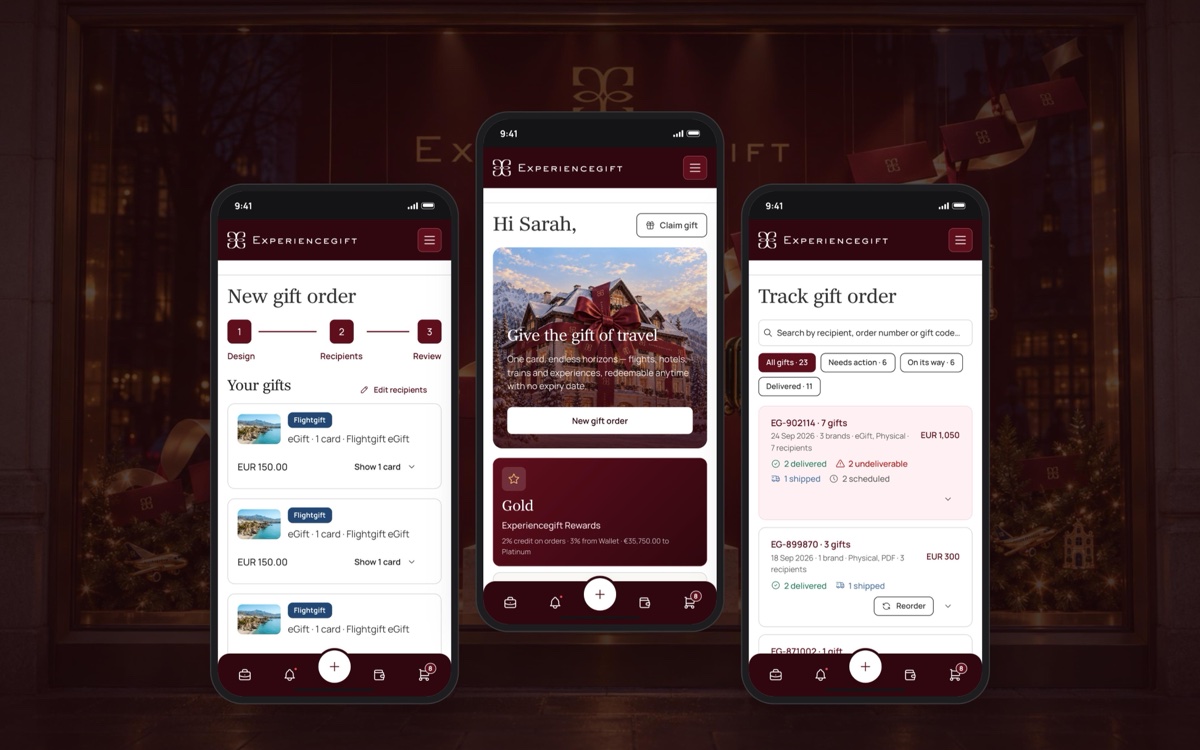
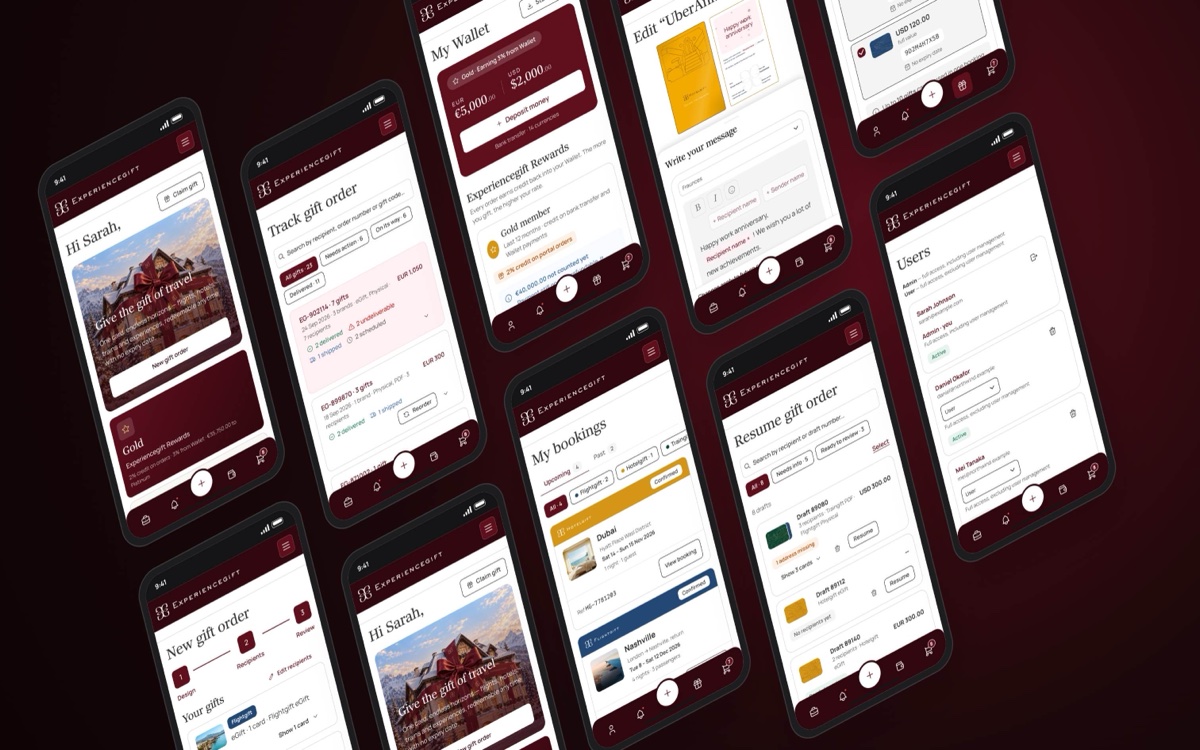
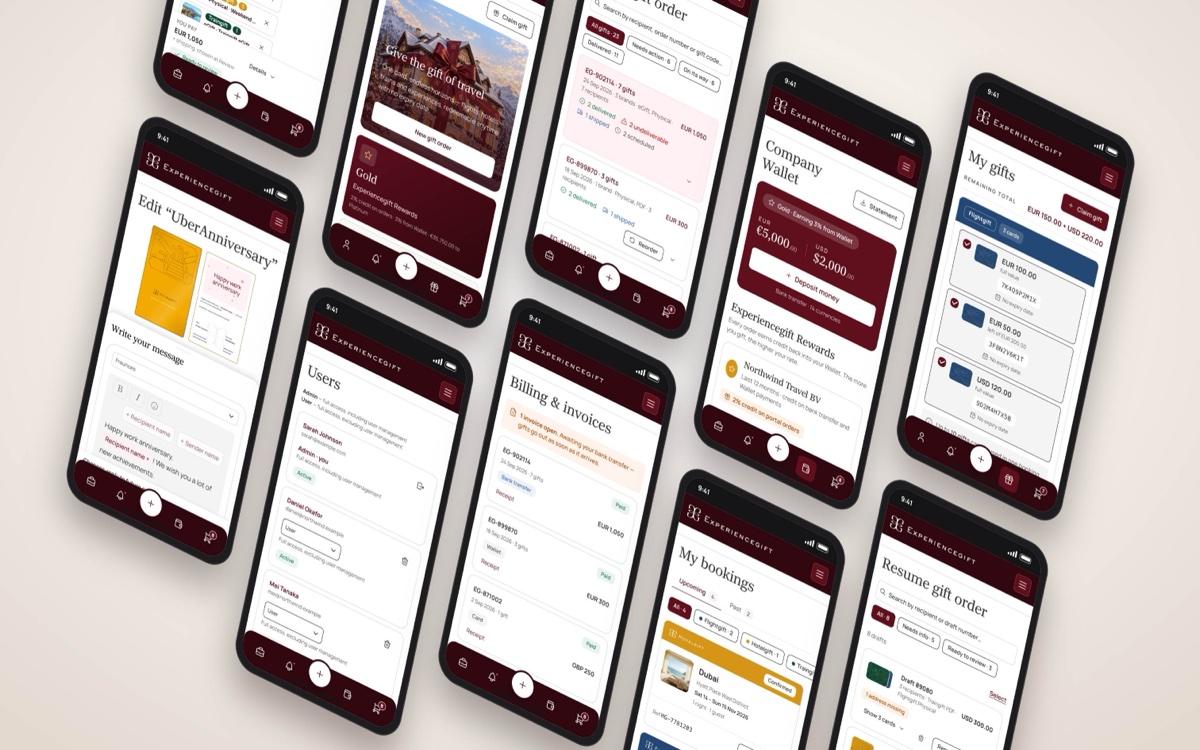
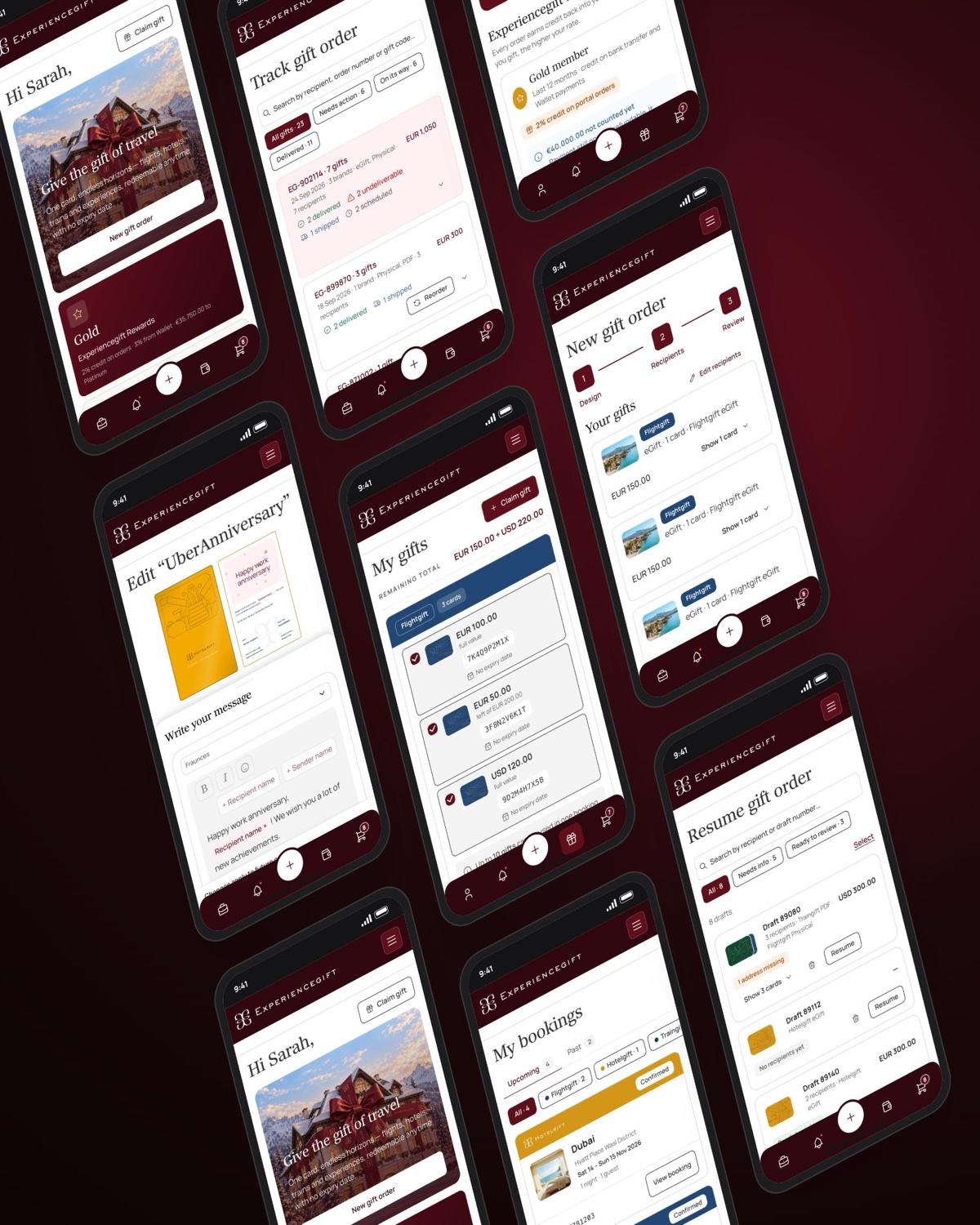
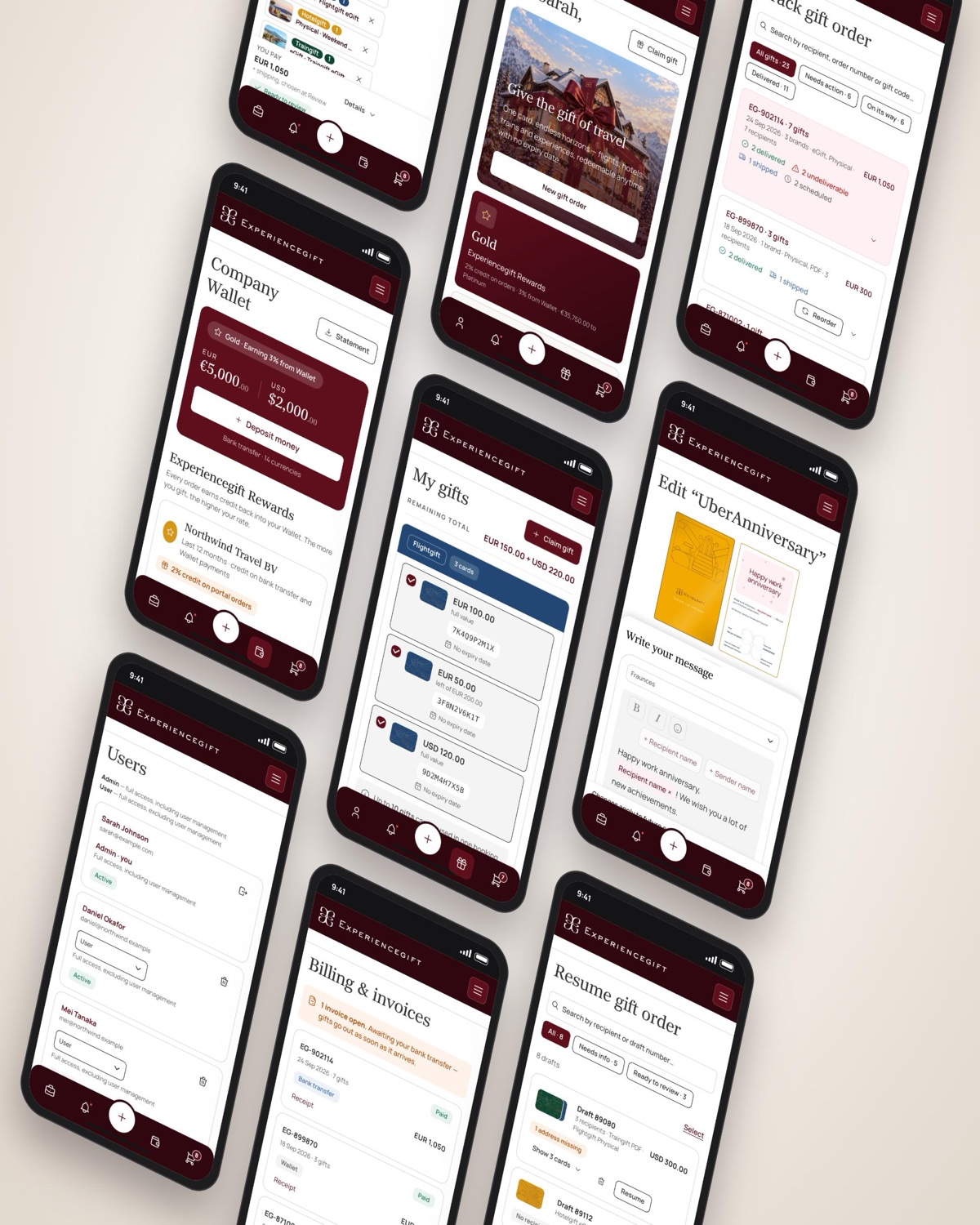
We designed the portal around the tasks customers would need to complete most often, including buying gifts, resuming unfinished orders, tracking deliveries and managing gifts and bookings.
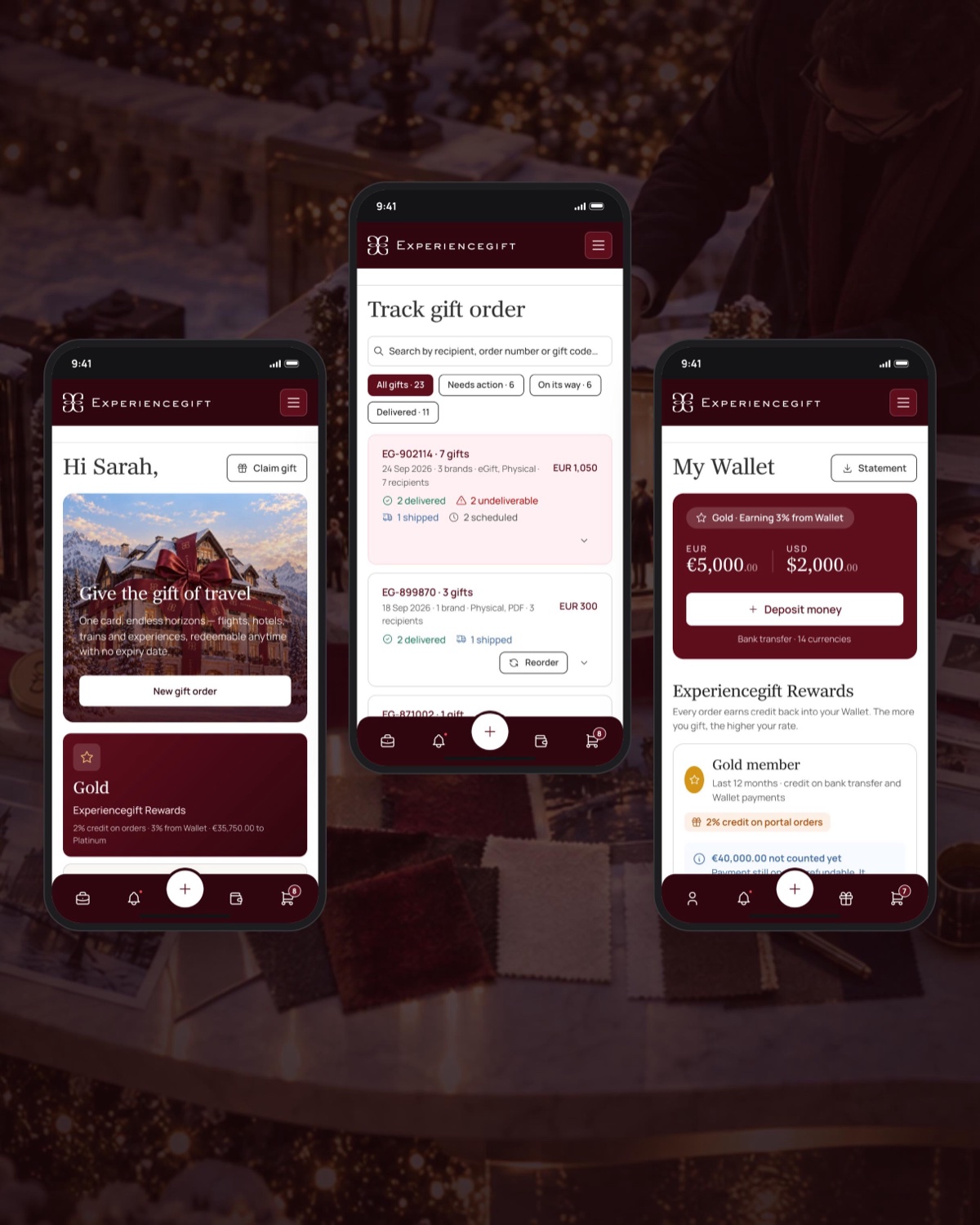
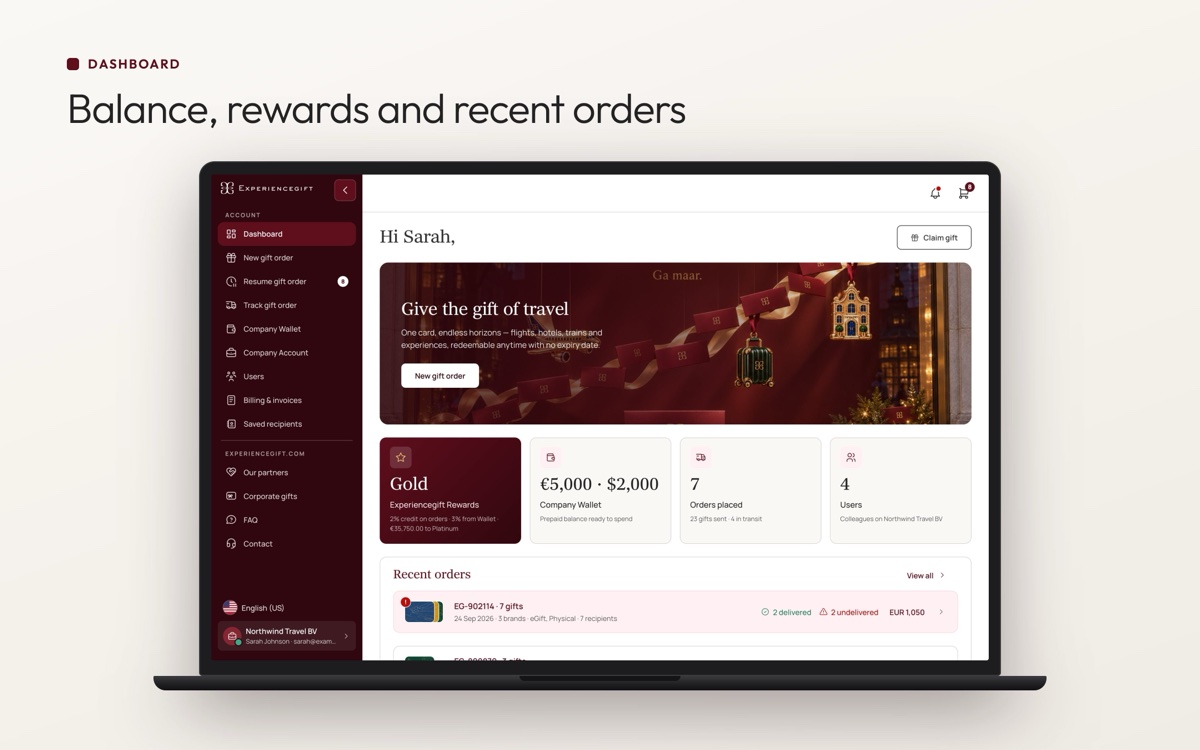
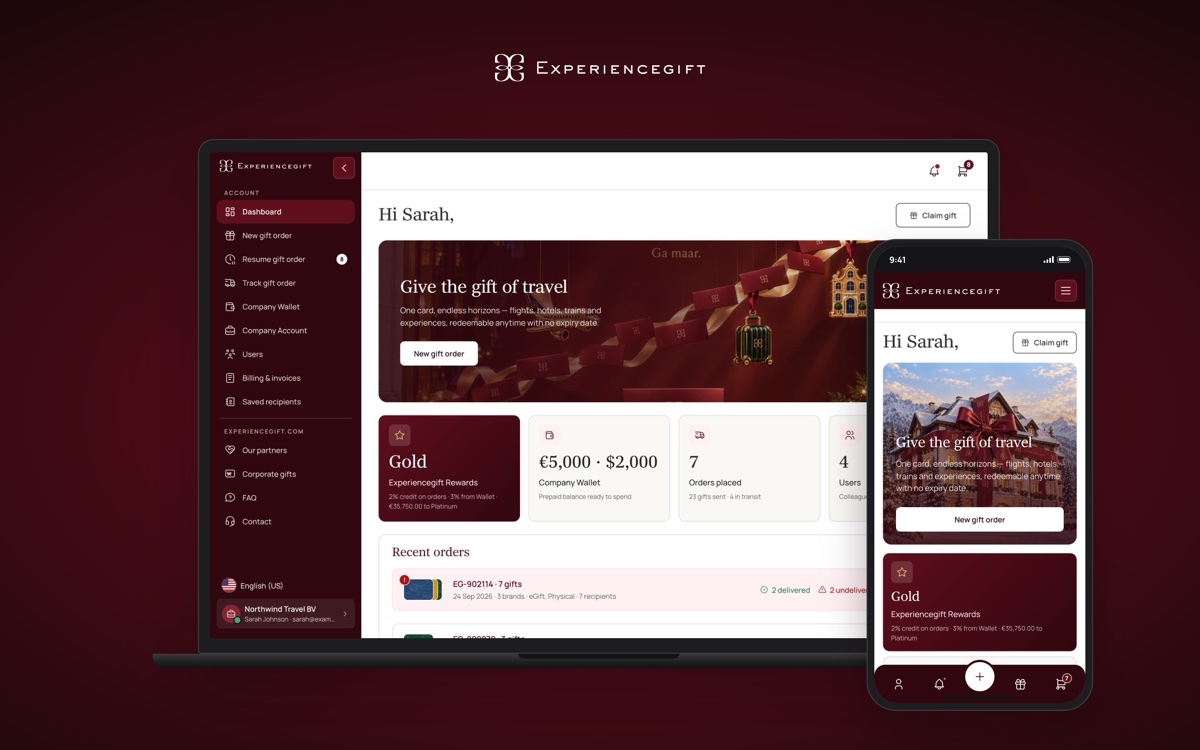
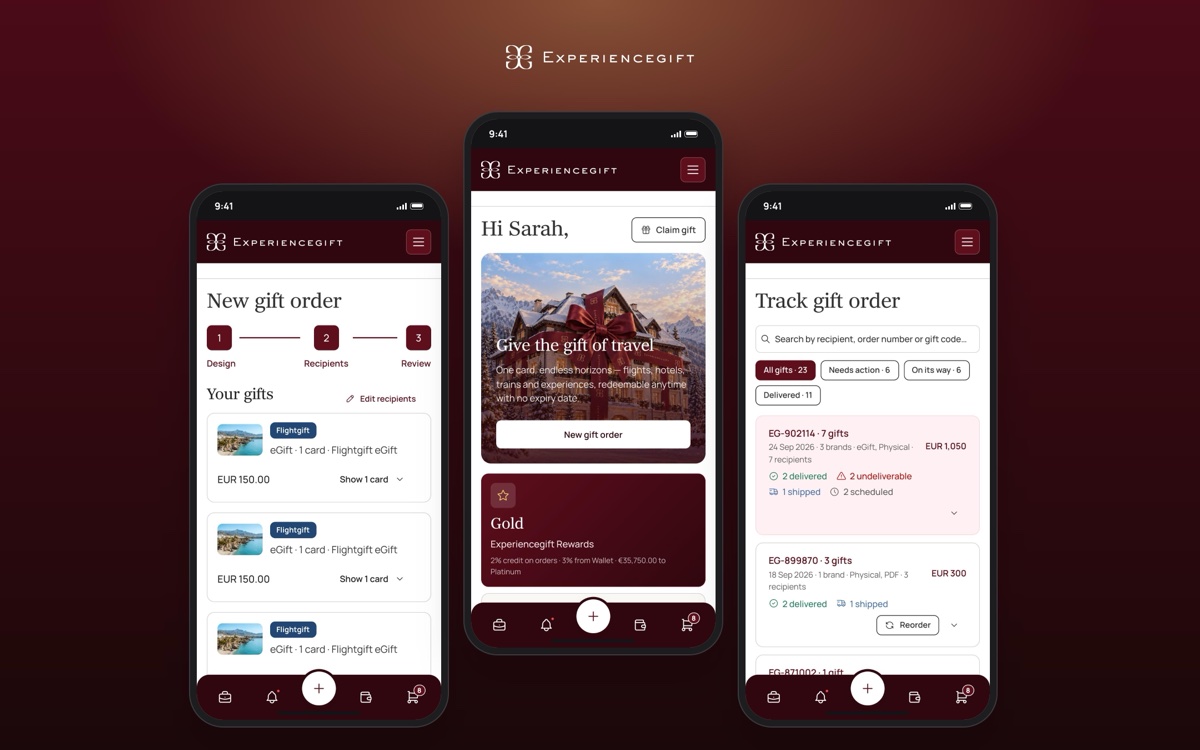
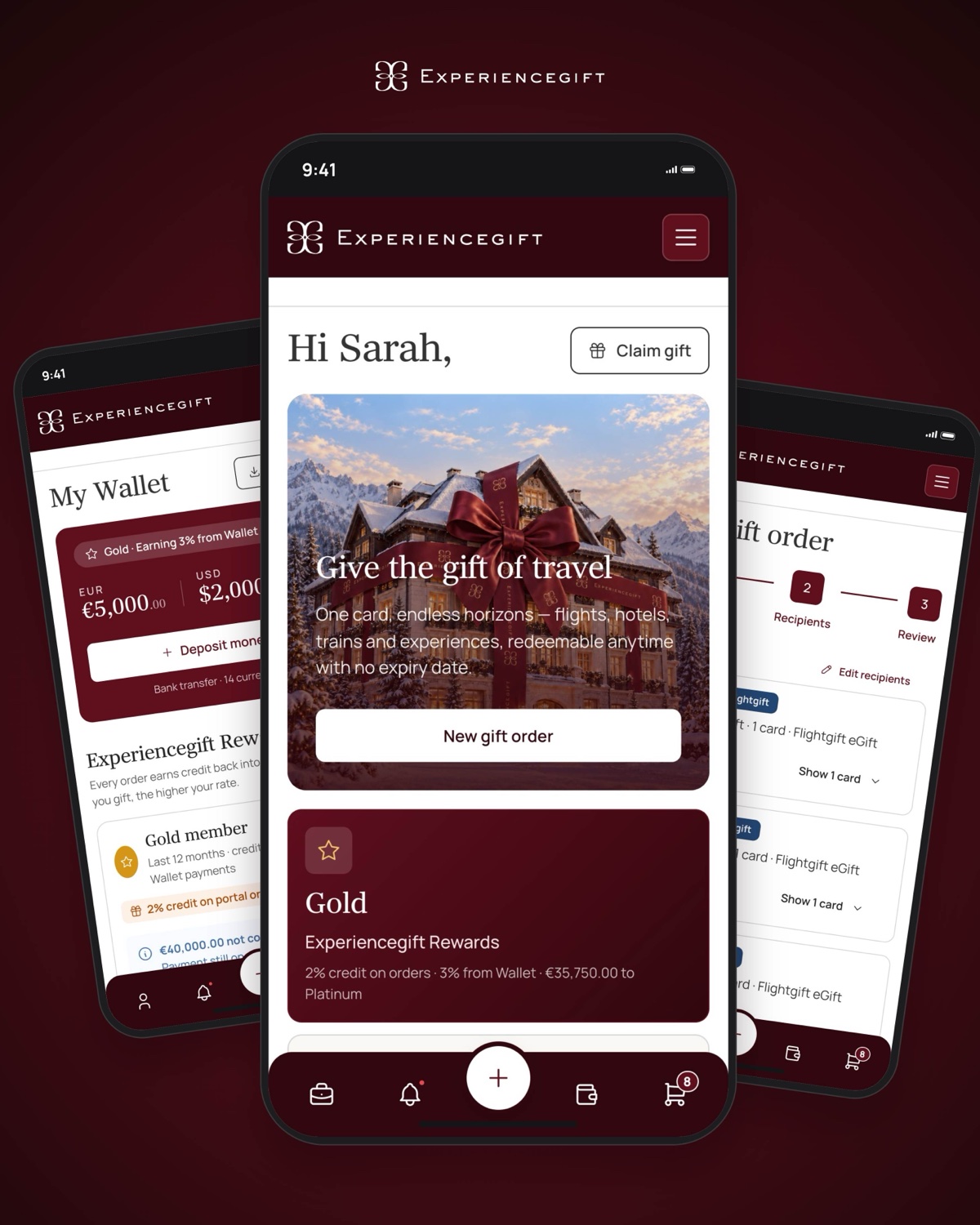
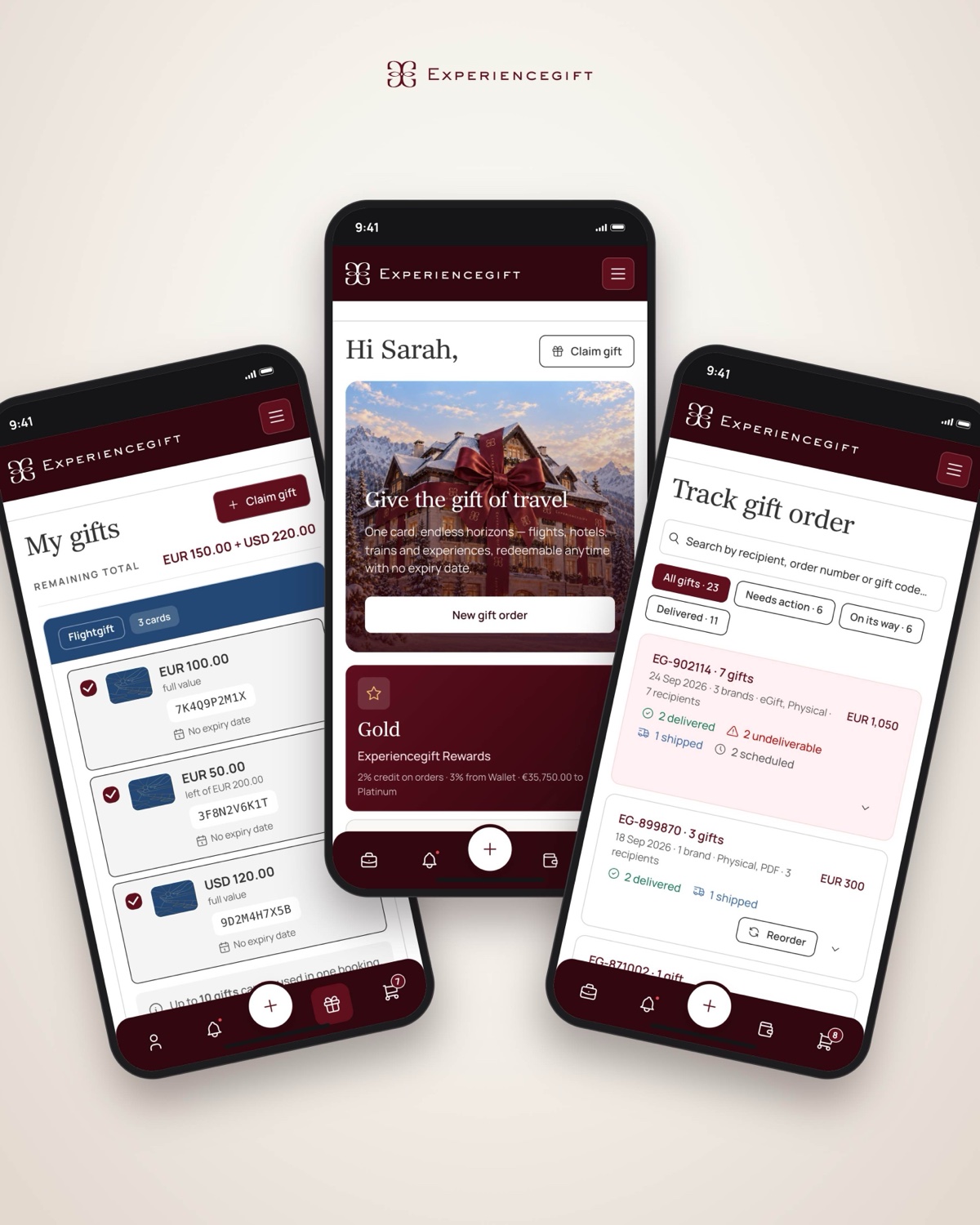
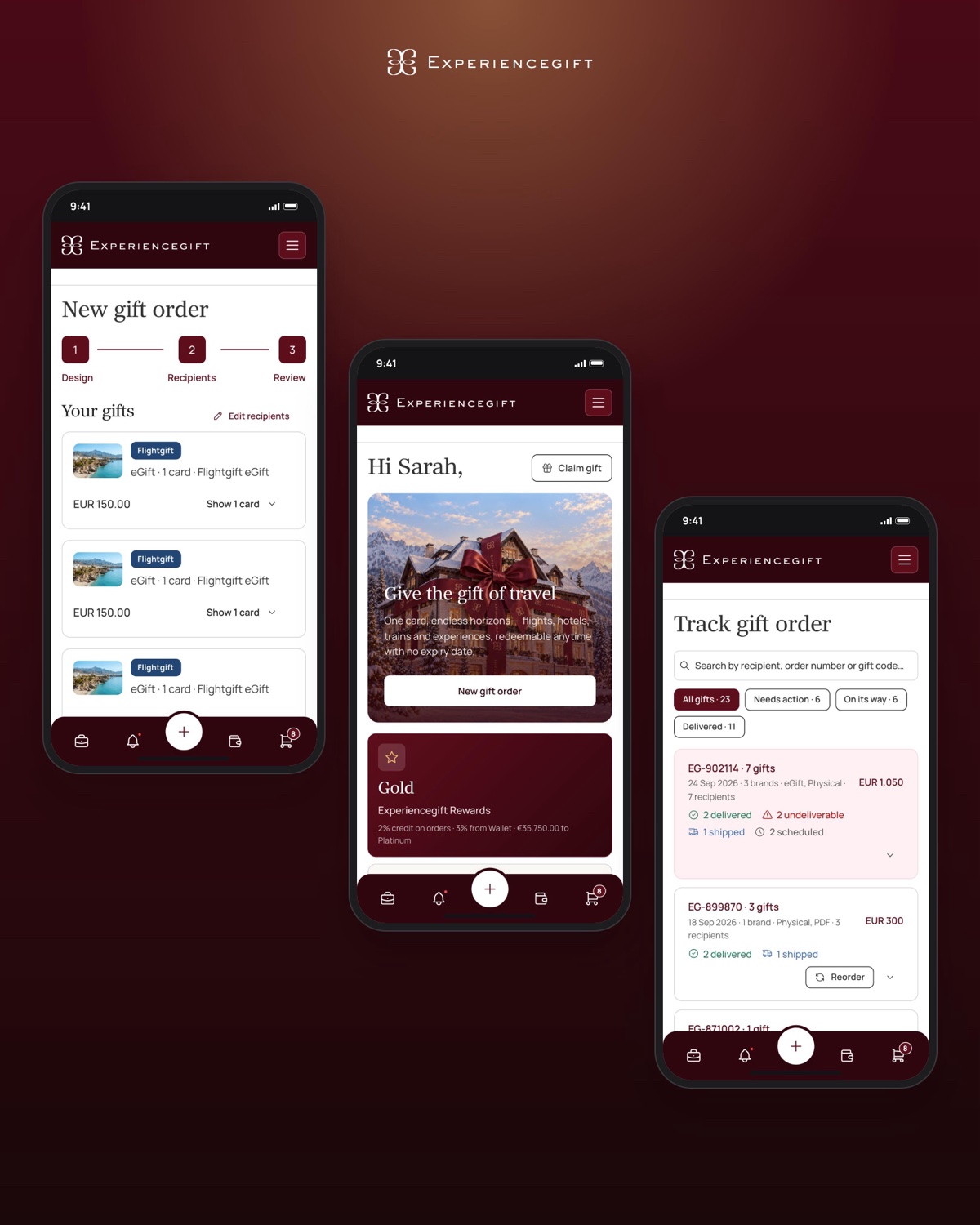
The dashboard provides an overview of relevant activity and gives customers a starting point for their next action. We also used it to bring important issues to the surface, rather than making customers search for them.
- 01
Dashboardan overview of activity and important updates.
- 02
Buy a gifta starting point for creating individual or bulk orders.
- 03
Resume an orderaccess to saved orders that haven't been completed.
- 04
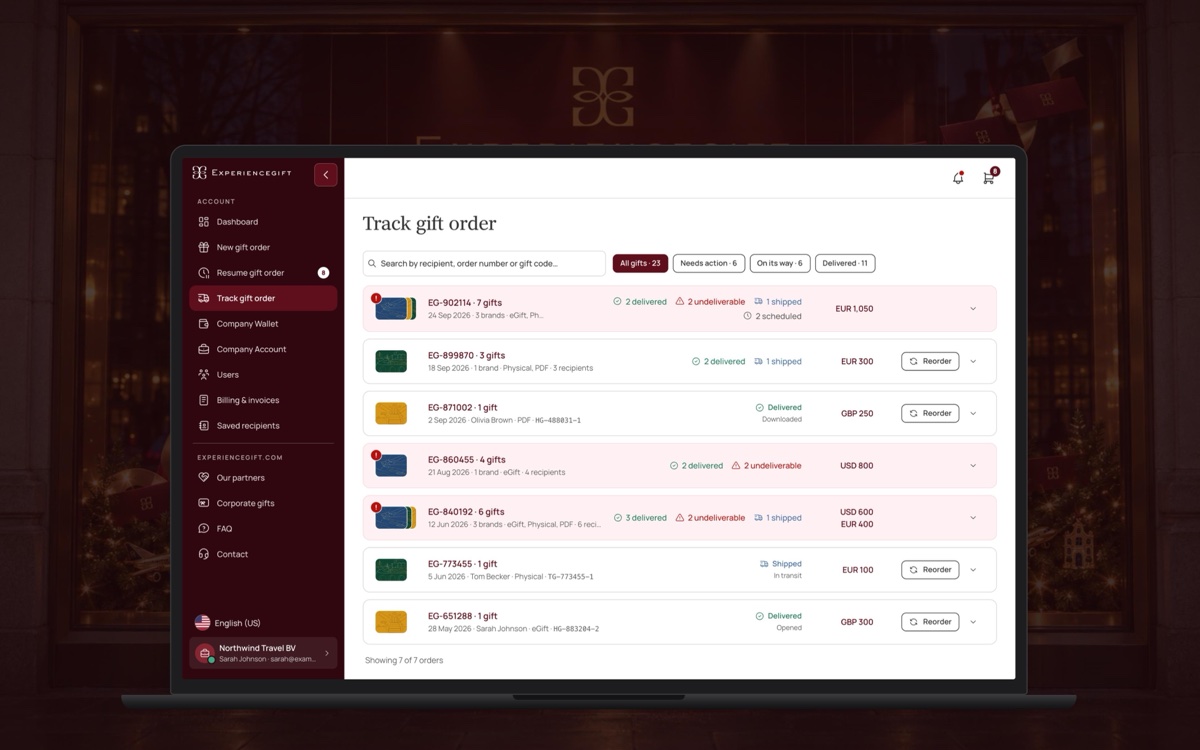
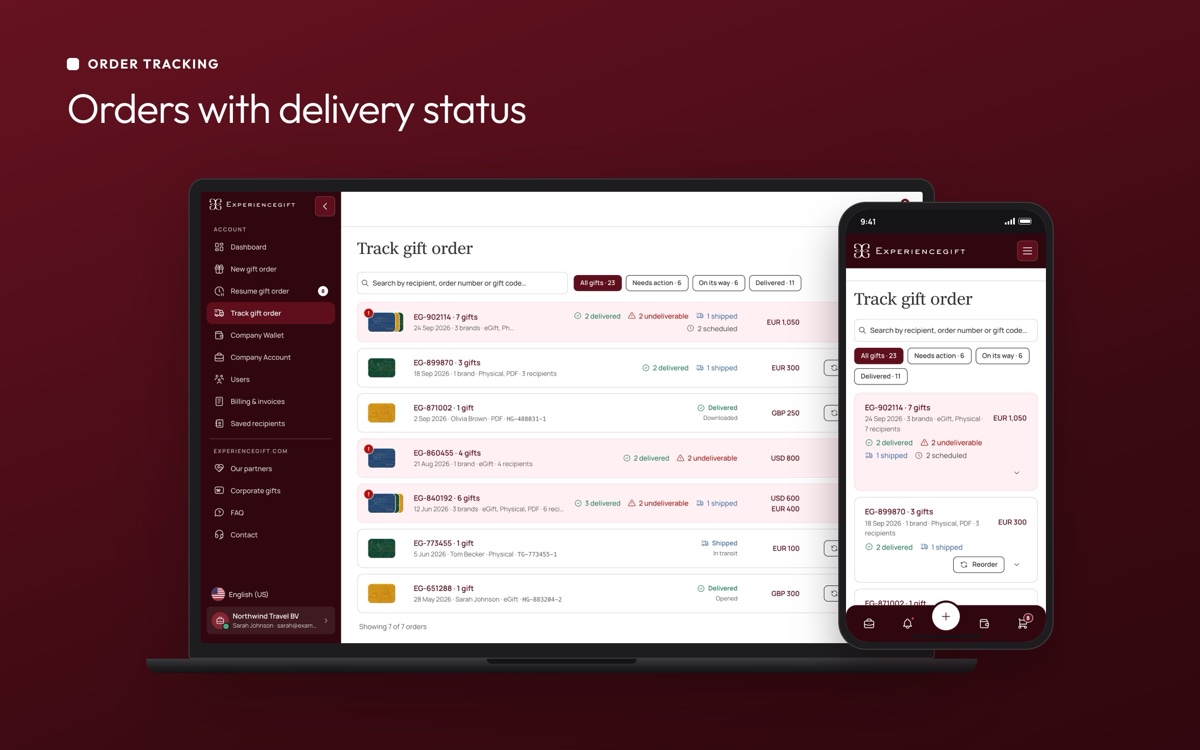
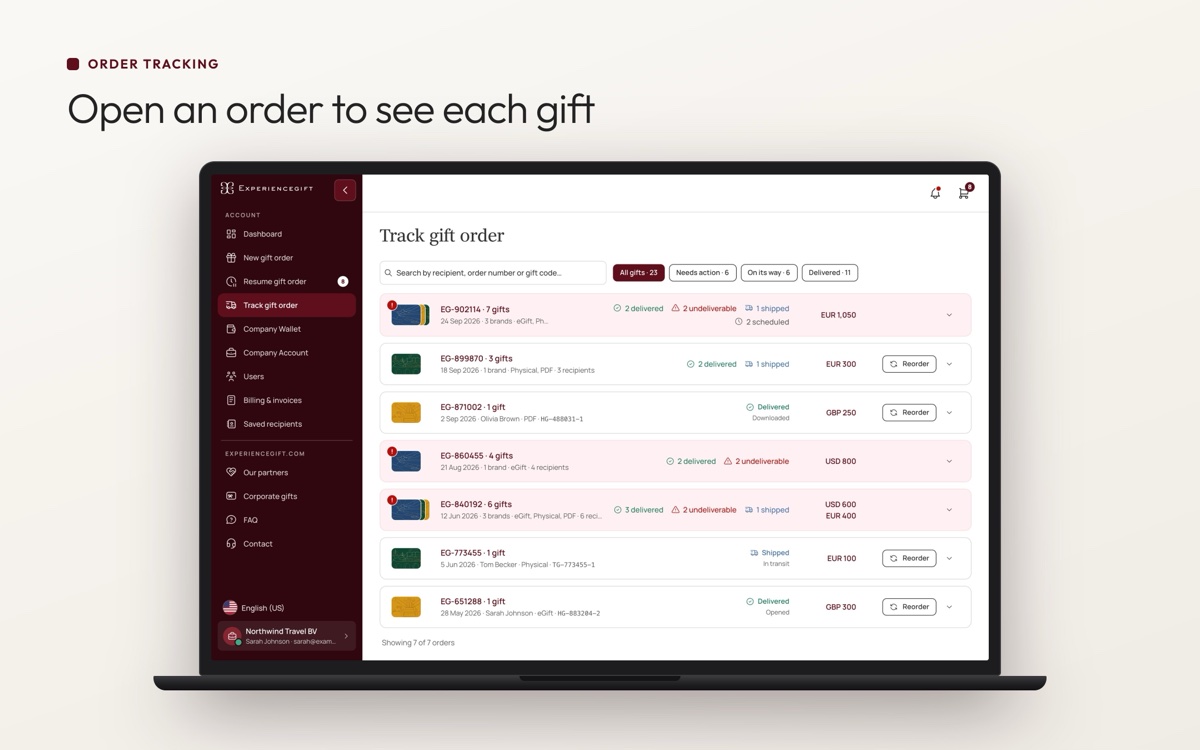
Order trackingan overview of orders and their delivery status.
- 05
My gifts and My bookingsplaces to manage gifts and bookings.
- 06
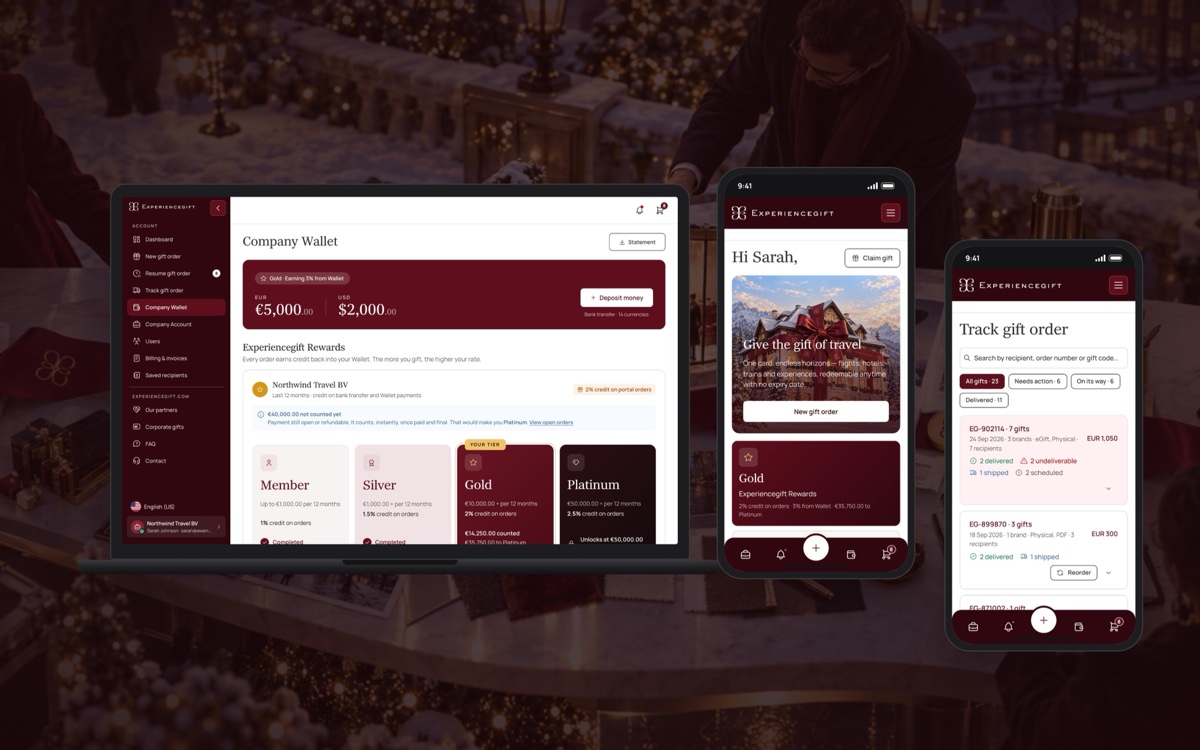
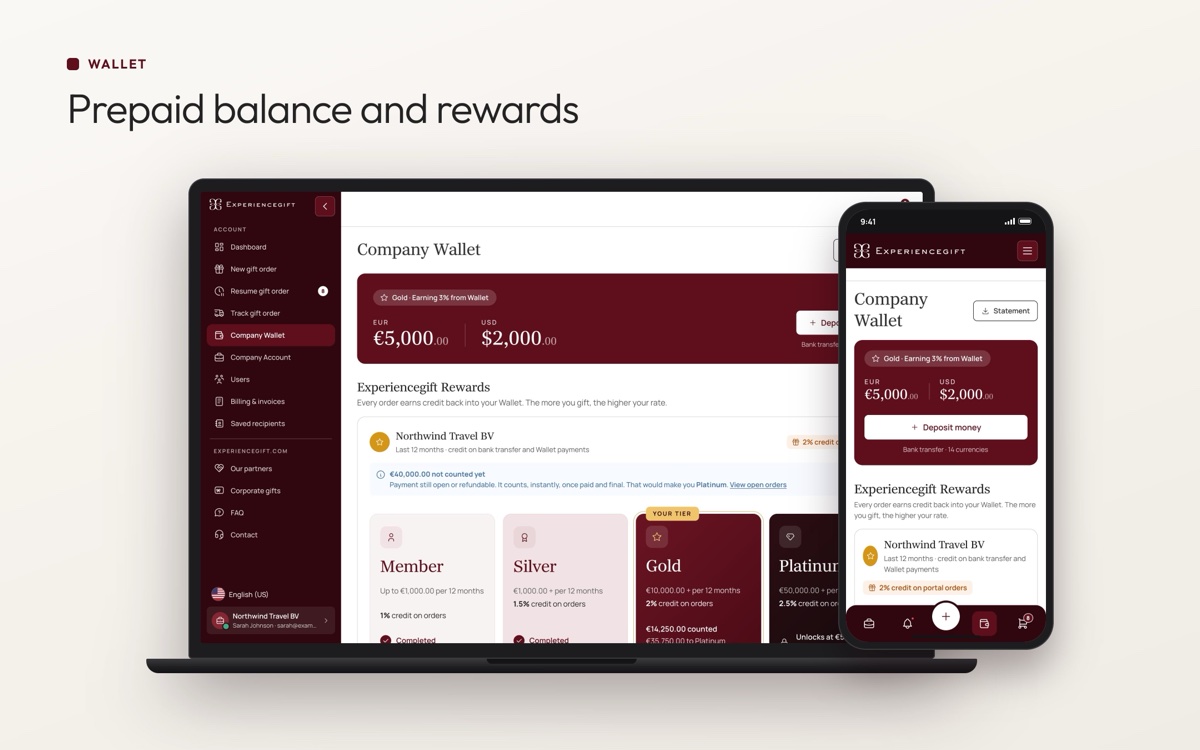
Walletaccess to available balance and related benefits.
- 07
Saved recipientsa reusable list of recipient details.
- 08
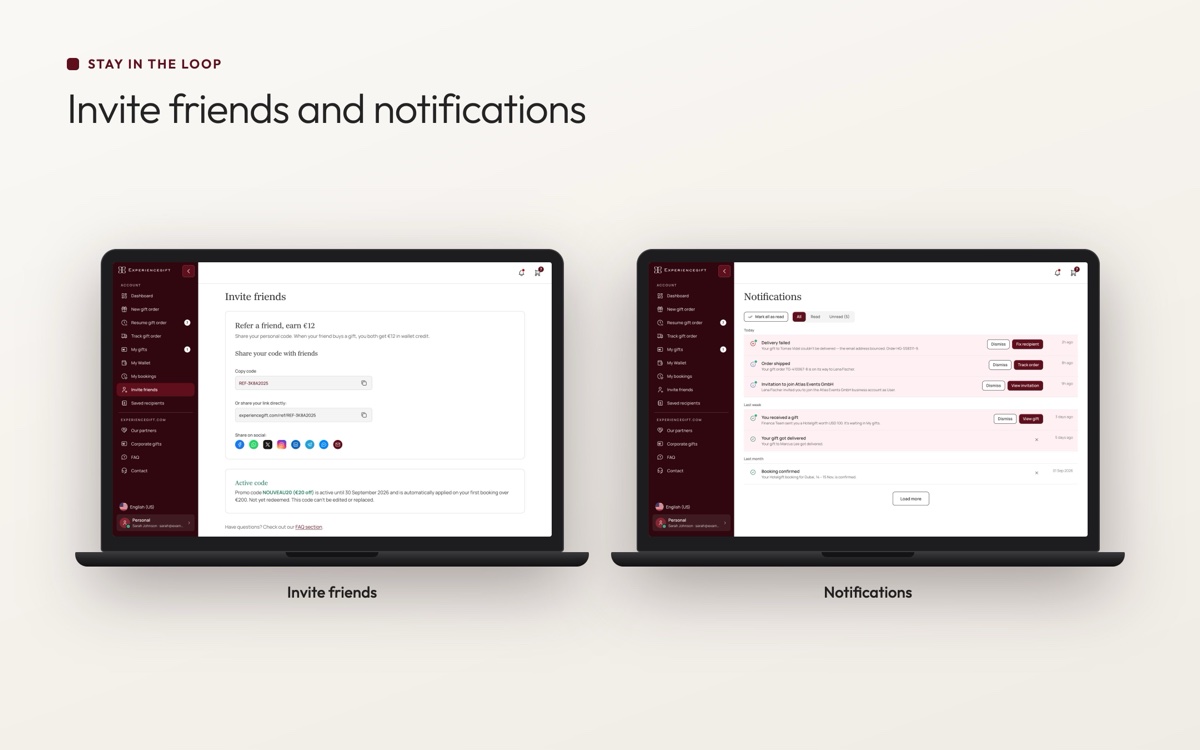
Invite friendsa way for personal customers to invite others.
- 09
Notificationsupdates about relevant activity.
- 10
Company managementuser roles, billing, invoices and company settings for business administrators.


Making bulk gifting easier
Bulk orders were one of the most important parts of the business experience. Companies needed to send gifts to multiple recipients without repeating the same steps for every gift.
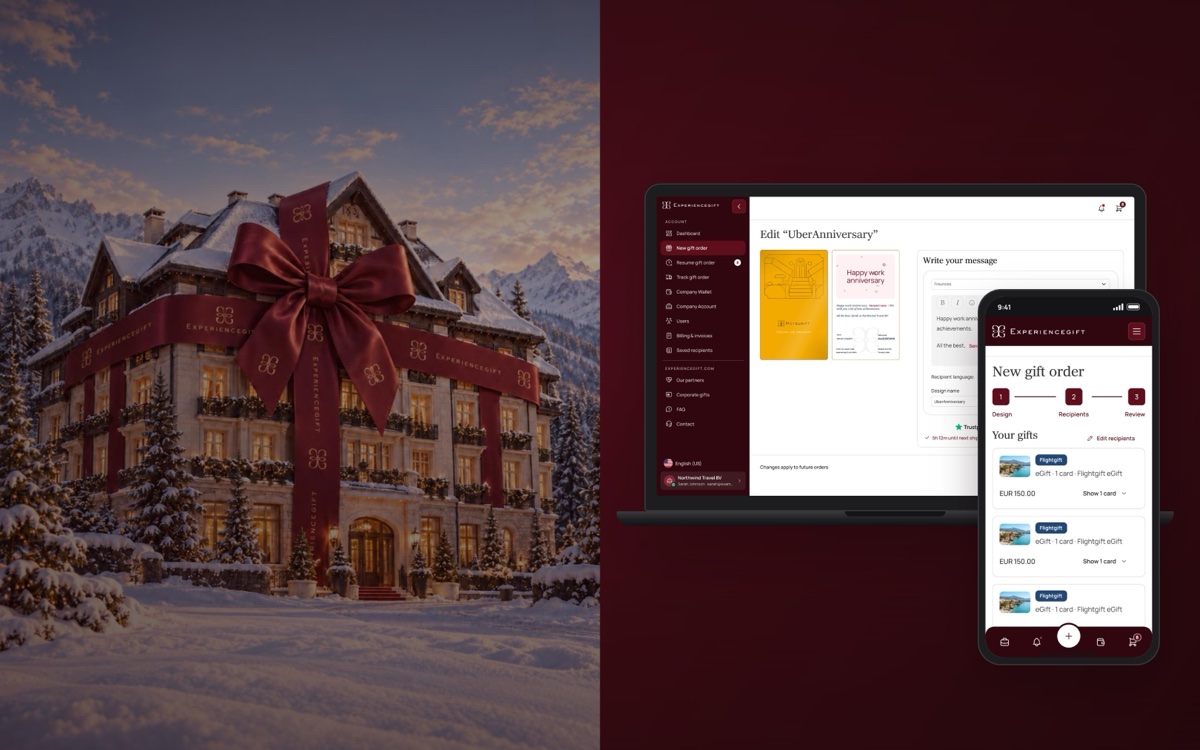
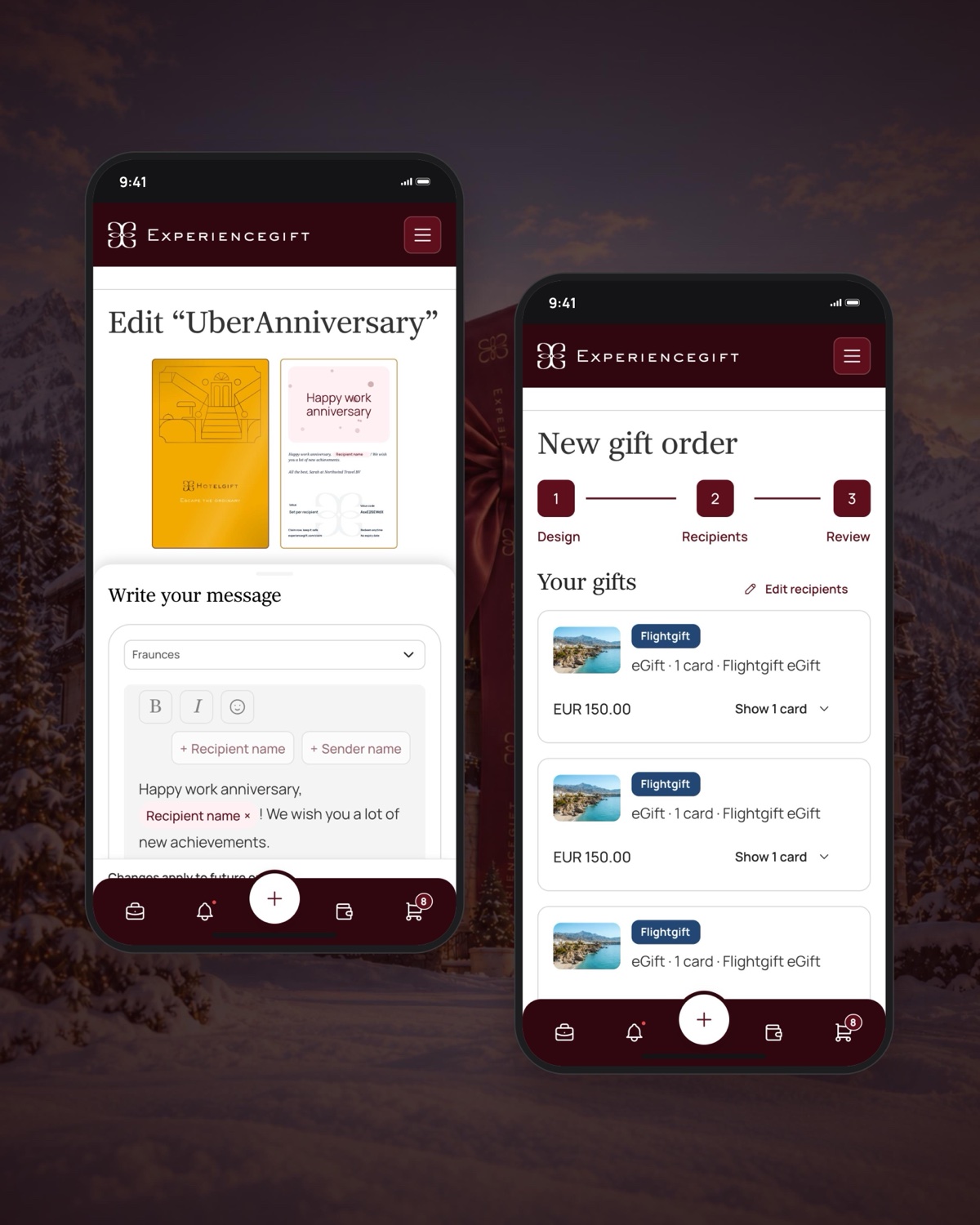
We designed a flow that guides users through choosing a brand and gift format, customising the gift, adding recipients and reviewing the order before purchase.
Recipients can be added manually, selected from saved recipients or uploaded through a CSV file. A live preview helps users see how the gift will look while they're customising it.
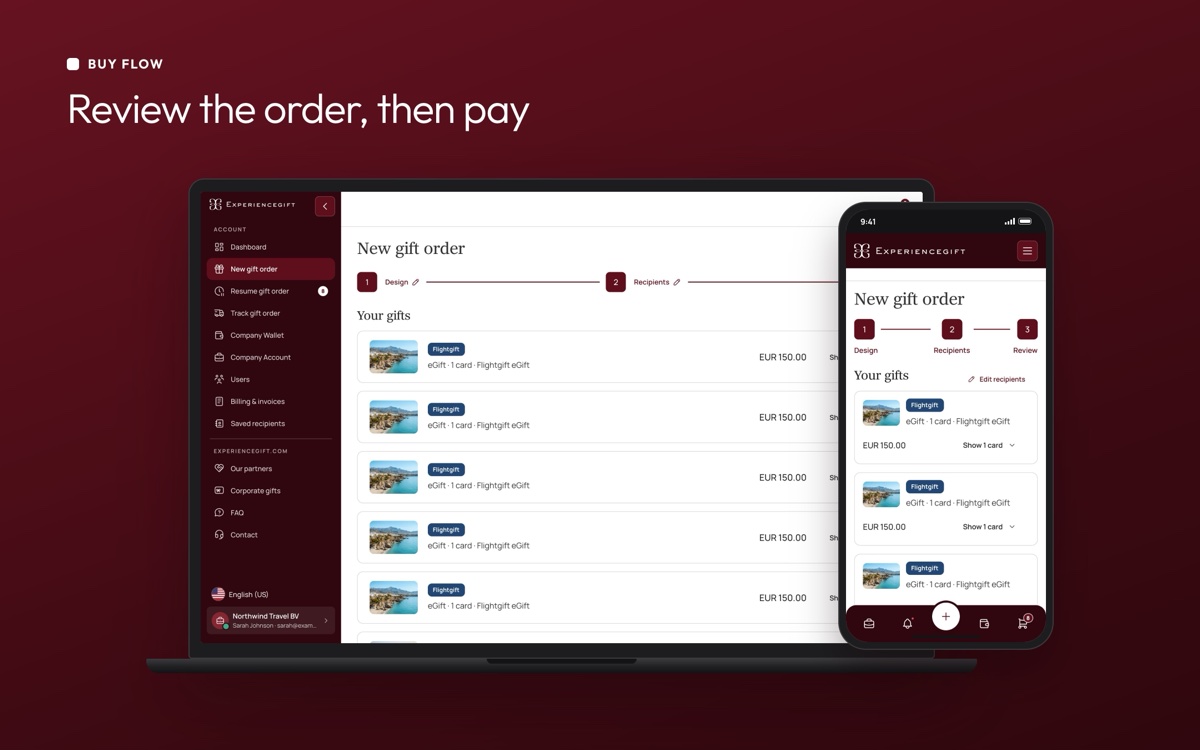
Before placing the order, users can review the gifts, recipients and amounts to catch mistakes before moving forward. They can then pay using their wallet balance or by bank transfer.
We also accounted for the fact that bulk orders aren't always completed in one sitting. Gift designs can be saved, and unfinished orders can be resumed later, so users don't have to start again.



Making order tracking more actionable
Tracking an order is about more than showing a status. When a gift hasn't been delivered, customers need to understand what happened and what they can do next.
We designed a card-based tracking view that groups orders by brand and gift format, with status counts to help users get an overview quickly.
Failed email deliveries needed particular attention. Instead of leaving these issues buried in a list, we made them more prominent and moved affected orders towards the top. From there, users can take action by resending the gift email or changing the recipient's email address.
We applied the same principle to the dashboard: important issues should be visible and actionable, rather than simply reported.

Wallet, discounts and rewards
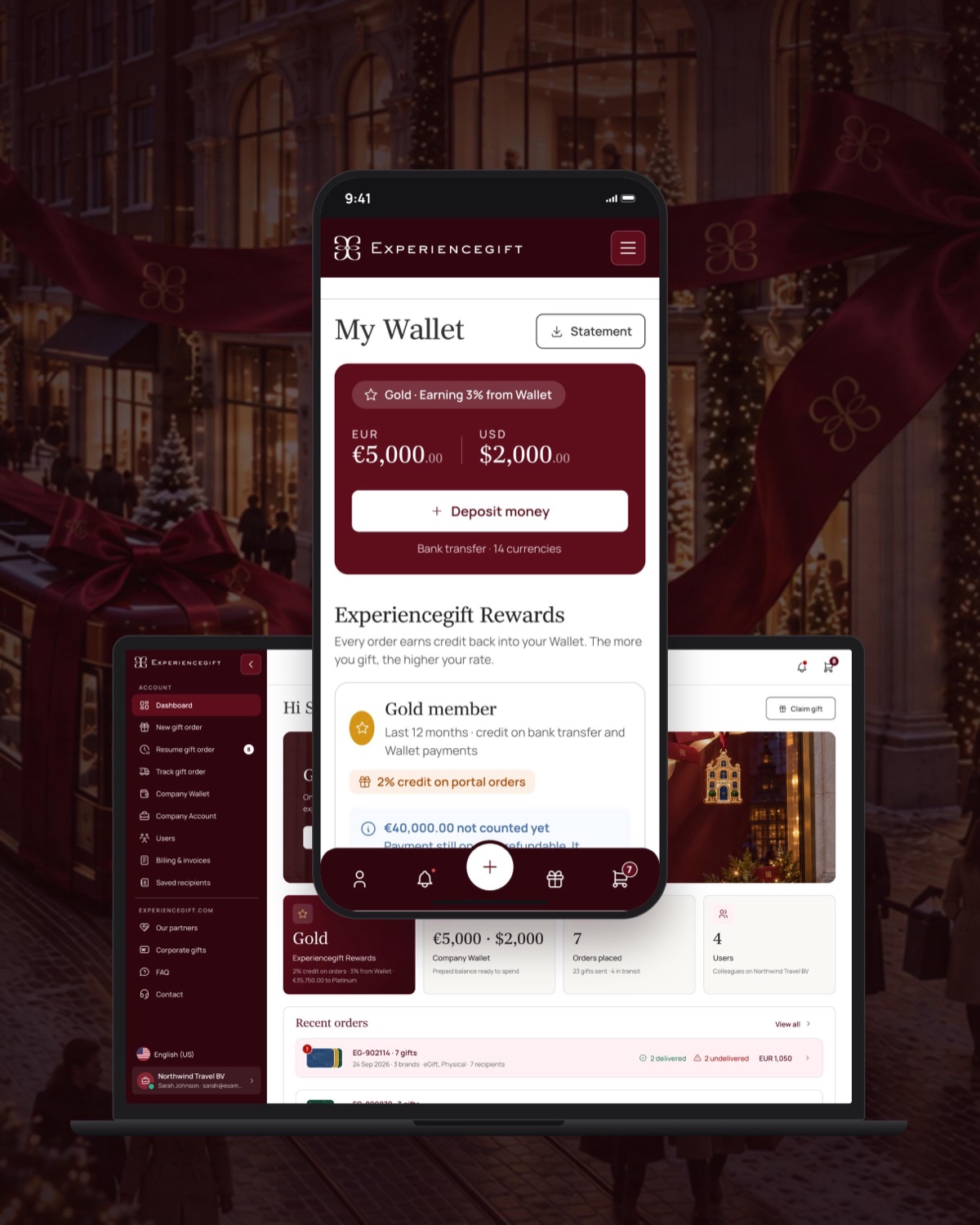
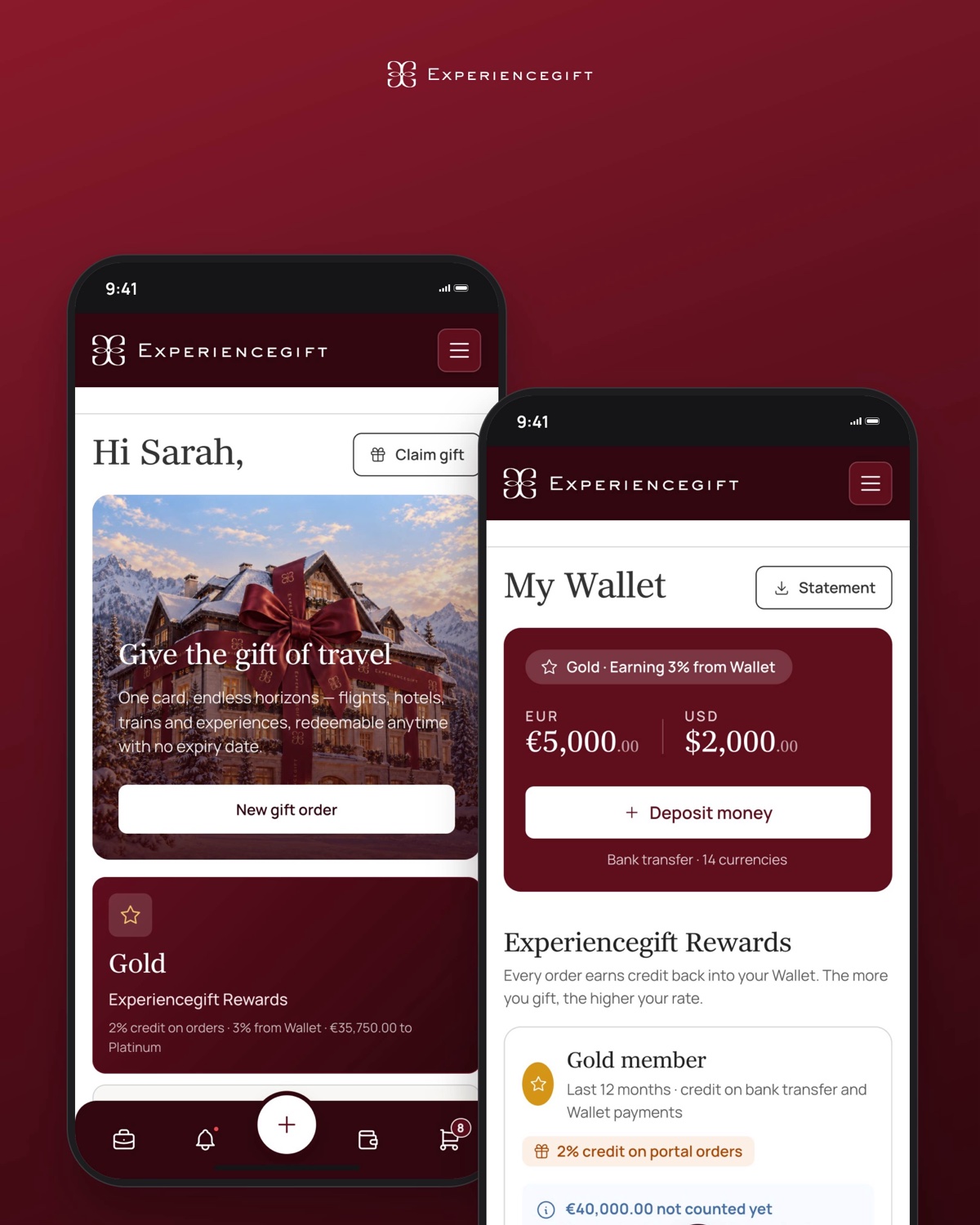
The wallet experience needed to support both business and personal customers, while recognising that they use it differently.
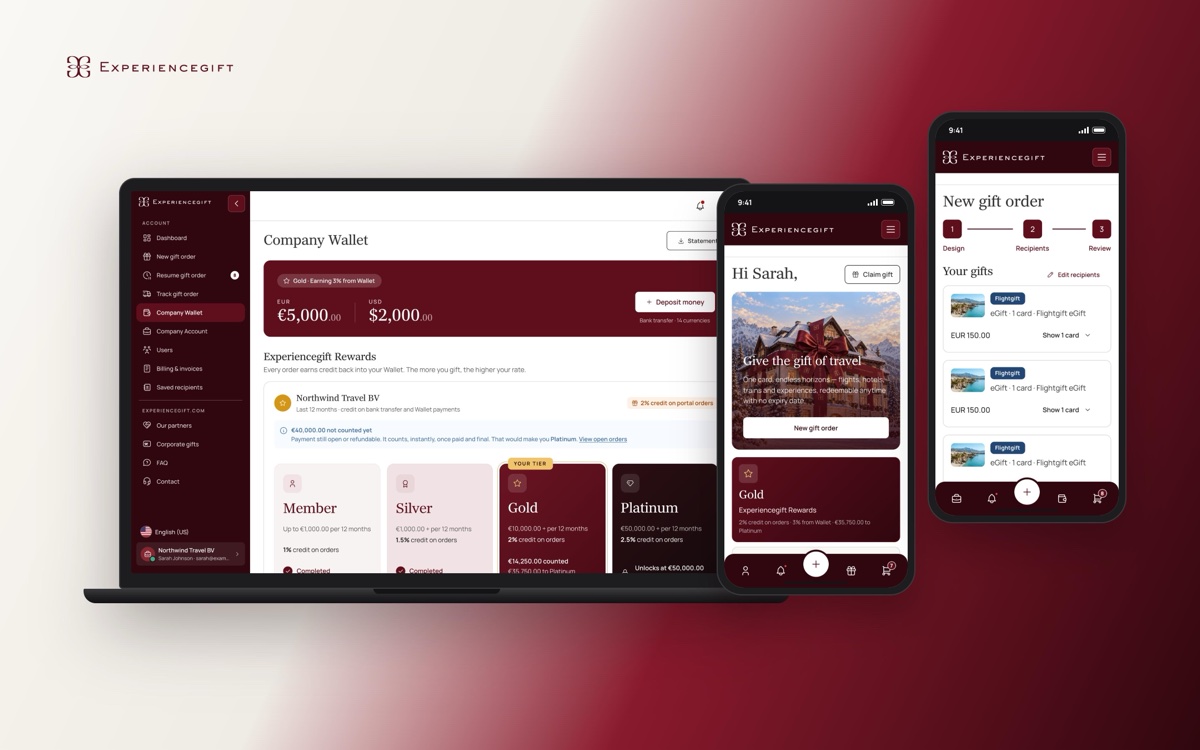
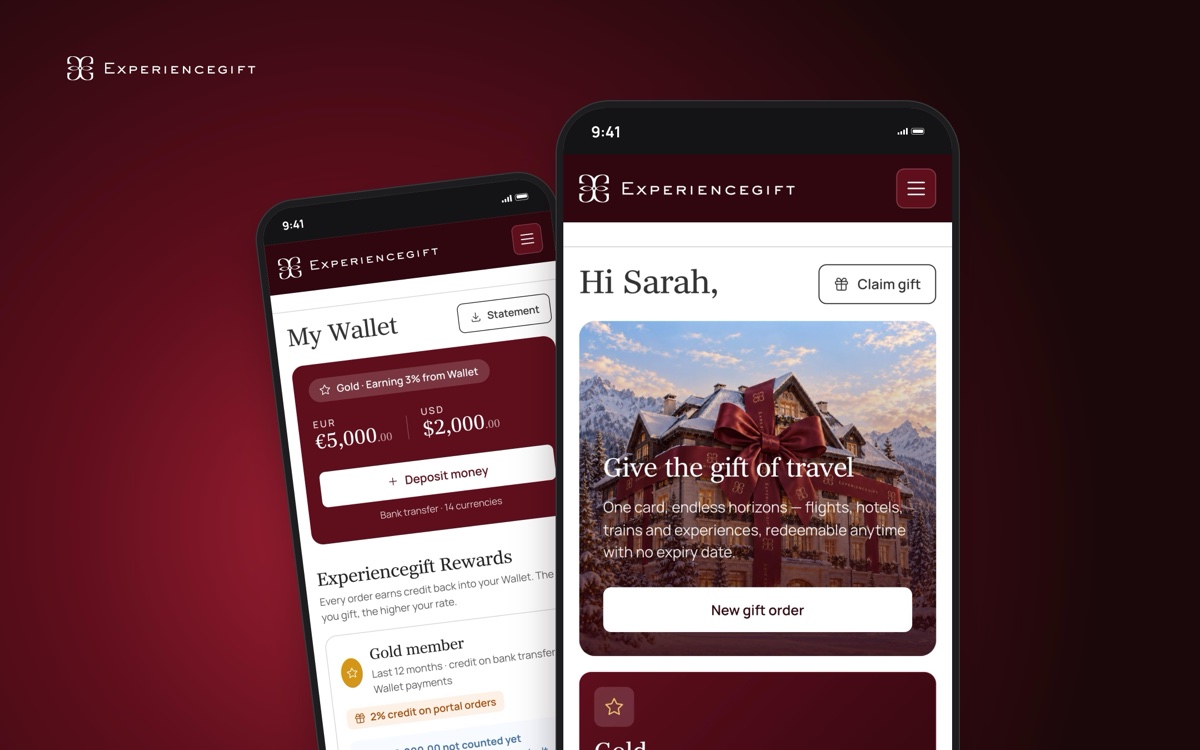
For businesses, the wallet allows teams to top up a prepaid balance and use it to pay for orders. Company discounts also help businesses manage the cost of larger purchases. We designed these features to make the available balance and relevant benefits easy to understand during the ordering process.
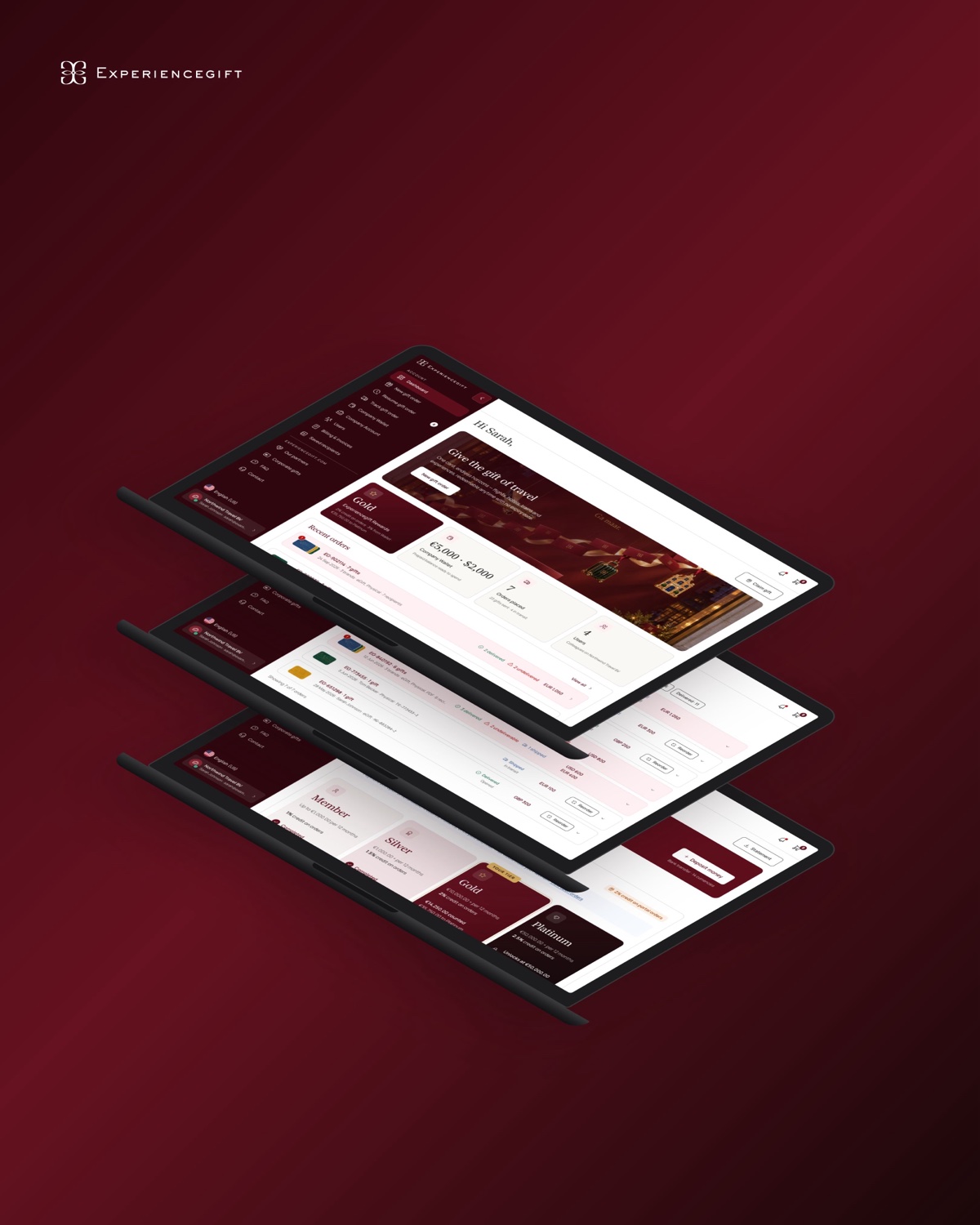
For personal customers, the experience includes a rewards programme with four tiers, from Member to Platinum. One of the design challenges was to make the progression between tiers clear and motivating.
We explored several visual directions for the tier cards before settling on a colour progression with a progress indicator inside each card. This gave each tier its own identity while making the customer's progress easy to follow.
Connecting the portal to the gifting journey
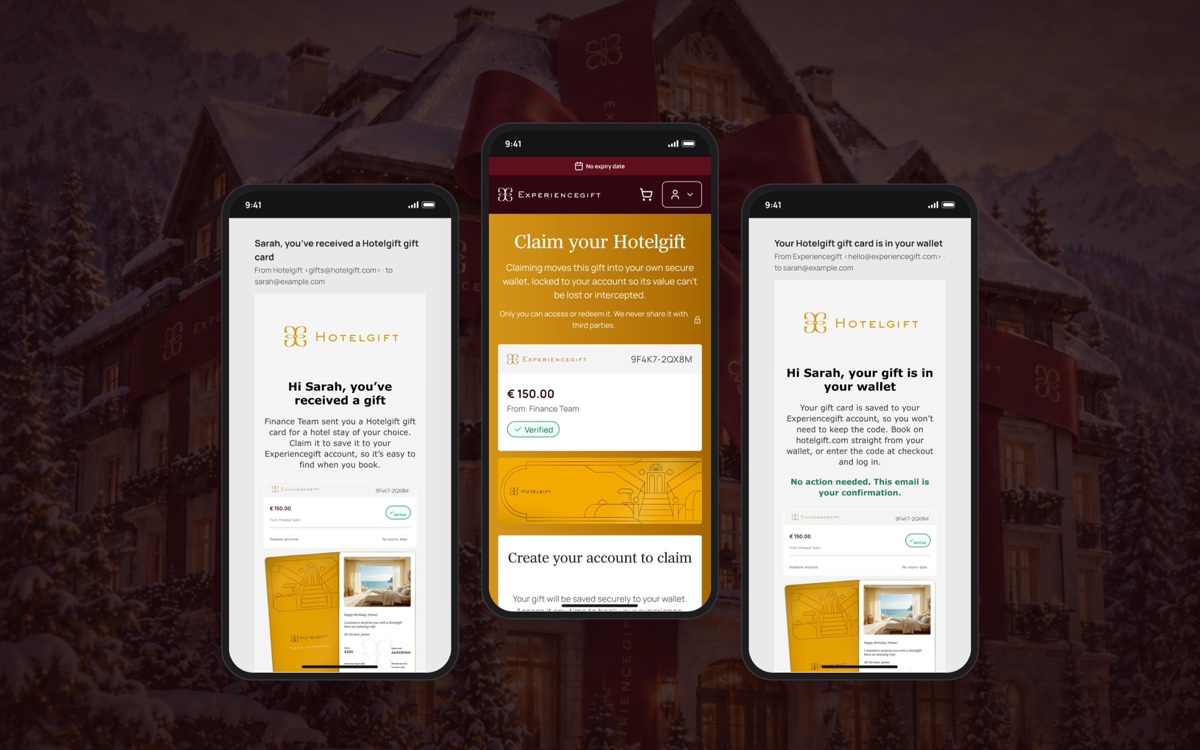
The portal is part of a wider gifting experience, so the journey doesn't end when an order is placed. Recipients still need to receive, claim and use their gifts.
We considered how information should carry through these steps to avoid unnecessary effort. For example, when a recipient opens the gift claim experience from their email, their email address is prefilled.
Once claimed, gift cards can be applied at checkout on the relevant brand's website after the recipient logs in. This helps connect the portal's ordering experience with the later redemption journey across the different brands.


Designing for different screens
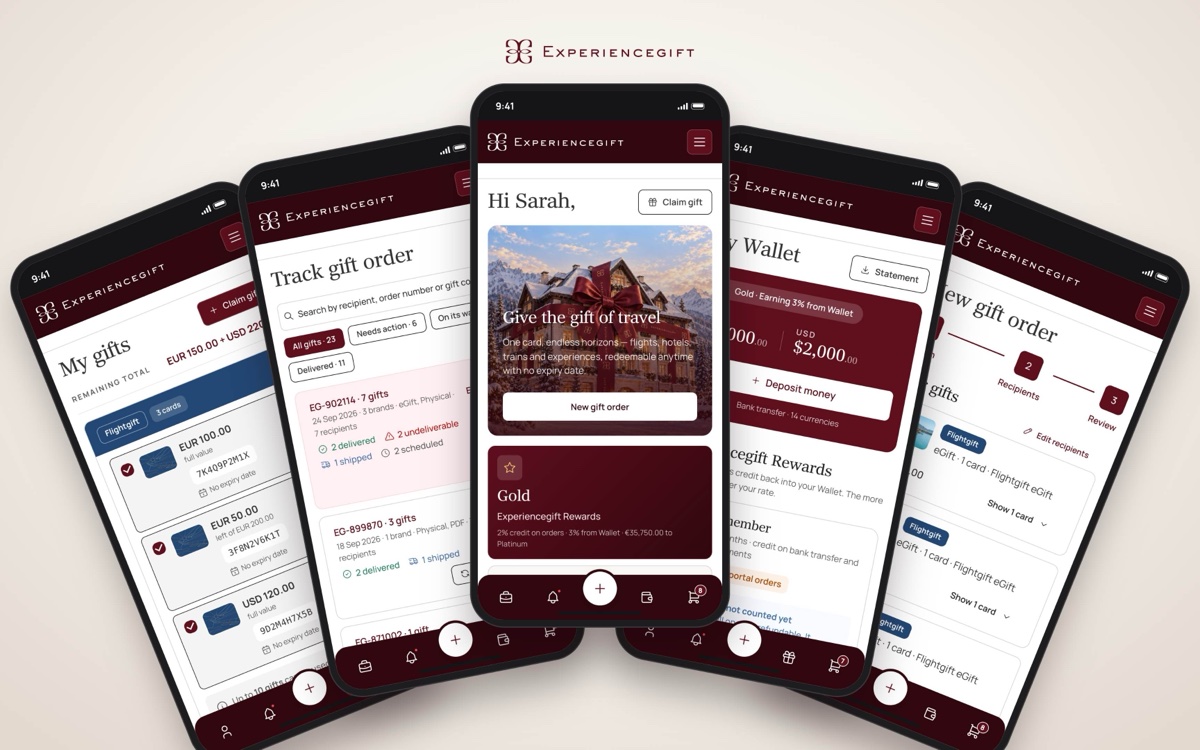
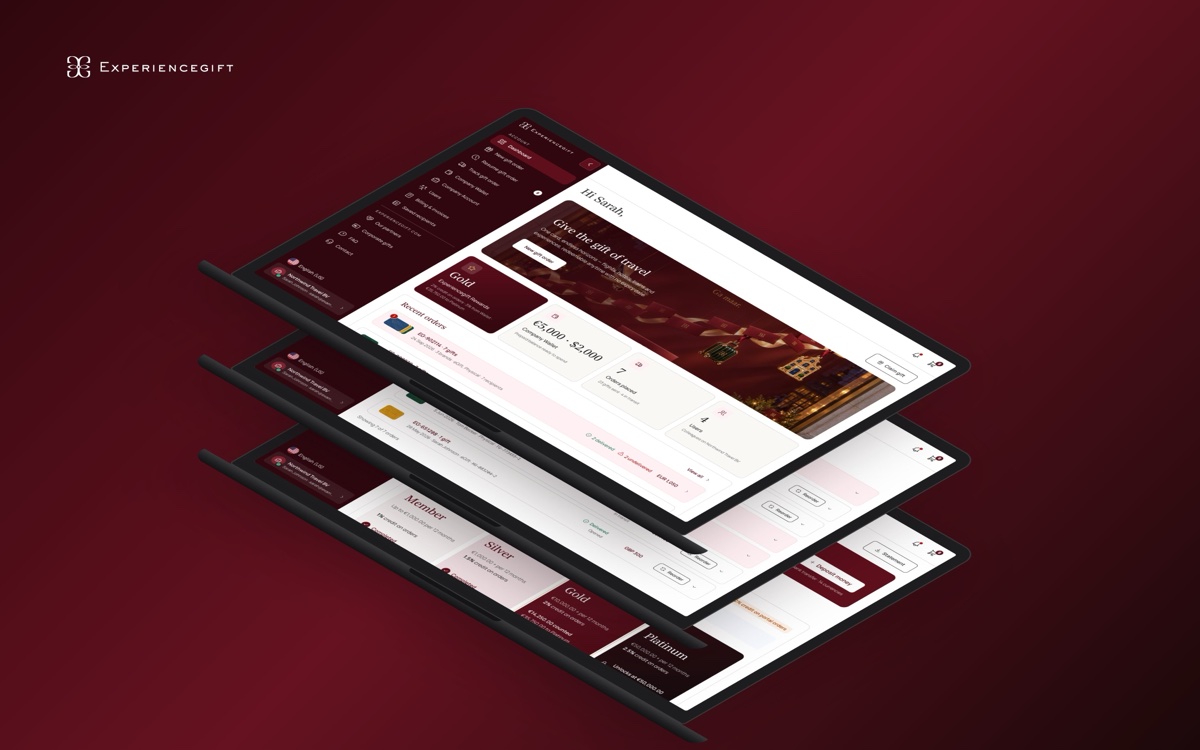
Although the portal was designed primarily for desktop use, key pages, pop-ups and the gift-buying flow also needed to work on tablets and mobile devices.
We adapted layouts and interactions for smaller screens, keeping the main tasks accessible without overwhelming the interface. On mobile, we introduced a fixed bottom navigation and gave the new gift order action a more prominent position so users could reach one of the portal's main tasks quickly.
The aim was to preserve the core experience across devices while adjusting the layout to suit the way people use each screen.

From exploration to development
Throughout the project, we worked through the structure, page layouts, components, states and interactions needed to bring the portal together.
We designed the key pages and flows with development in mind, considering not only the ideal path but also the situations users might encounter along the way — such as unfinished orders, failed deliveries, different payment methods and varying account permissions.
This helped make the designs more practical to implement and ensured that the main workflows were considered as a connected experience rather than a collection of separate screens.
Outcome
The Experiencegift Portal brings personal gifting and business gifting into one flexible experience. Individual customers can buy and manage gifts, while businesses can handle bulk orders, recipients, wallets, discounts and team access.
The result is a portal designed around the practical needs of gifting: making orders easier to place, giving customers a clearer view of what is happening, and making it easier to act when something needs attention.